Learning Dark Arts

Come learn the art of 3D computer generated art and animation. This blog deals with the lessons learned and the art created by Robert G. Male using DazStudio from Daz3D. Also covered are the ancillary software, tools, techniques, and processes needed both before and after rendering in the 3D software.

corners

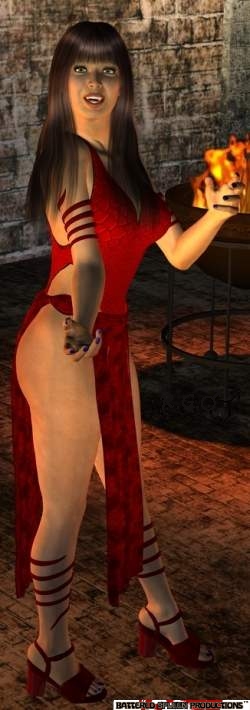
Spell casting woman.


R.M.T.P. Co.


corners


Newest Article


August 23, 2010

The Other Side of the Mirror

I've talked about reflections recently. I covered lighting conditions on either side of the mirror in the figurative sense. Recently I went into detail about postproduction using two different renders. These work for reflections created by the render engine as well as the two-camera method--the other looking out from the reflective surface into the scene from the other direction. Another method briefly mentioned was recreating the scene, but turned 180 degrees, and put on the other side of the mirror. The Killing Time - Horror E-Rag Issue 1-1 back cover (and consequently 1-2 front cover) illustrates this double mirrored scene. There is a twist in this image of course. The mirror figure is not identical because it is a doppelganger in a mirror dimension. I decided to talk about this image to illustrate a couple other factors necessary, or possible, in creating such scenes.

First up is how do you create what is essentially a window to be the mirror through which the reflection is seen? It's a sad fact that this is not as easy as it sounds. The textures for walls in settings and scenes are created as a large image map and different parts of the map are fitted to their respective surfaces. I could have created a transparency map using the texture map to make part of the wall transparent. Instead I used four plane primitives to create the wall with an opening. I applied a section of the texture map to those planes, which runs into scaling factor. The texture has to be the right size visually and the planes large enough at the same time. That done a fifth plane becomes the mirror. It is plain white and requires no external transparency map, just an amount of transparency. This actually removes some of the lighting needs to make the other side look like a reflection.

Music: Over And Out by Mourning Widows.
  • Comments


  • August 9, 2010

    Postproduction and the Lighting Wish

    I do not know about anyone else creating art with Daz3D and other similar programs, but I do a lot of post-production work in my images. There are things I see even while putting together the initial parts of the image that I know I will want to change after the fact. Most of them cannot be changed in the render, and others are just easier to tweak later. A lot of the time I will use PaintShop's clone brush, or cut and paste, to replace bits of clothes or figures with parts of the background. Even more frequently than that I render scenes twice: once with some parts invisible. What may be not visible in one version could be clothes so I make items or body parts transparent so that clothes fit without rescaling or bulging them--but parts of the limb need to extend past the clothes. Other times lights are turned off so that different parts have different amounts or colours of lights.

    When creating covers, some of the issues with a render can be hidden behind titles or other graphics layered over the image. This can make the post-production work a lot easier, but it requires thinking about where those overlays will be and angling your camera to put the part to be hidden behind them.

    One the functions I would love to see in DazStudio is a switch to turn off lights affecting an object. This would work just like turning shadows on or off. When rendering the scene the software would essentially render two different ways, parts with the lights on as usual, and other parts with the specified objects rendered as if the default lighting scheme/unlighted scheme was in effect--like it renders before you add lights. I can meld images such as overlaying a foreground over a background to work with two lighting schemes, but making the transparency/cut-out overlay is a tonne of work when there are a lot of scattered differences.

    Music: Broken by Bruce Dickinson.
  • Comments


  • July 26, 2010

    The Ghost In the Render Engine

    I set about a while ago to make a new ghost video. More precisely, I wanted a video of some poltergeist activity. Something nice and subtle. To that end I decided on making a time-lapse video. I had the idea a while back further than when I started laying out the scene and running the animation rendering. Back then it was to occur in a photographic kitchen with a rendered cell phone creeping its way across the counter. In between I had seen a ghost hunting video at some abandoned building. There was a long shot of a hallway and squares of light against one wall that moved as the sun outside set. I decided I wanted to try something similar. I do not have the moving light this time, but I further decided to combine my sun setting "in" a room with the poltergeist moving the phone video. You can see it on my YouTube page under "Haunted Time Lapse Video (CGI)".

    What I did to make the sun set in the room was take a distant light and rotate it down until the room went dark over the desired number of animation cells. Simple stuff. What I'm here to talk about though it not the sunset, not the intended haunting bit of the animation, but instead an unintended haunting effect... or something to that effect. As the sun lowers a light, or glare, or reflection appears on the bed, spreads, changes shape, and then disappears. Other lights appearing and moving on the bed follow this. I do not know why they appear or why they vary the way that they do. There aren't exactly windows in the animation just transparent sections. There is nothing to reflect the light, not that I've even seen anything in the render ever cast a light reflection before. Is this some kind of mystery? Something spooky going? I don't know, but it adds cool realism.

    Music: One Way by Vince Neil.
  • Comments


  • July 12, 2010

    Evoking a Horror Movie Series

    One of the items included in the first year's issues of my magazine is the Horror Movie Franchise Discussion. This is a series of articles about horror movies with lots of sequels, especially the ones where the story continues from one film to the next. These articles have a half-page art piece included with them, that I have rendered, that are evocative of some part of the setting in the movies. It might be prevalent in all of the movies or something integral to the first movie that is key to the overall plot throughout. Rather than focus on copyrighted characters or scenes directly from the movie I have tried to capture the mood with location shots. Following another possible route I have made scenes based on the movie, like based on a true story types of images revolving around the movies.

    The first of these discussions was about the Friday the 13th movie franchise. I have the full image in The Grotesquerie as "His Woods" because the woods around the camp are where most of the action takes place--at least since I have do not have an appropriate lake to make use of without creating one. A scene with cabins was likewise out, though more because of the space constraints within the article. It is a pretty simple shot. What is interesting about it is the black plants, though that has nothing to do with the movies it does give the image a certain feel. The viewer is left to wonder why are these plants dead and black? The honest answer is that is they way they turned out in the render. I do not know the cause. I just went with it rather than alter them in postproduction.

    Music: The Gates of Urizen by Bruce Dickinson.
  • Comments


  • June 28, 2010

    Easily Gone Wrong Figure Morphs

    Recently I received a free download of Stephanie 4 Elite Base. Along with it came presets, maps, a power loader, and the Elite Human Surface Shader (more on this another day). I immediately set about using the figure. I loaded Stephanie with the Victoria 4 Base morph injections included. I ran through the different faces available and settling on one began to work with the figure. Very quickly I discovered a problem. I attempted to fix it and things only became worse the more that I worked with it. As you can see from the left hand, redheaded, version in the image to the right the figure looks less than stellar. First off the face is too masculine and was made worse by the stock Happy expression. The forehead is also too large and no amount of fiddling with the hair would fix that. At best I could lower the hair and crop out the bald head that would stick through.

    The right hand, blonde, version is the result when I started all over from the beginning and used one of the morph injections I have for Victoria. It still required some hefty tweaking of the hair to cover up much of that forehead and diminish just how much head there is above the eyebrows. In the next image I've illustrated another problem that I perceived with the figure. Proportions of the different portions of the head aside I couldn't escape the feeling that the head was too large. For whatever reason I could not find a morph to dial down the head size and was forced to scale down the entire figure. I don't know how that happened and since then I found the dial, perhaps only added when I inject the V4 Morphs++. Instead I rendered two versions, one with Stephanie scaled smaller overall, and I replaced the head and hair with the smaller version in postproduction.


    Music: Billion Dollar Babies by Alice Cooper.
  • Comments


  • June 14, 2010

    Reflection, Tell Me, Tell Me True

    Mirrors are something I have dabbled with in my art. There are different options for creating mirror effects in DazStudio. There are of course reflections created by the render engine that are dependent upon the surfaces to which the reflection controls are turned on and modified. These require a good amount of light in the scene to be effective. In some cases it requires too much light and washes out the colours of the items reflected. This also requires postproduction work involving a render of the scenes with the lights needed to make everything outside of the reflection look good. In early December Daz3D offered the freebie Gothika Mirror (now $9.95). I used it to create the image "Alone in Reflection - Version 2" (Nudity), which has no post-production work for the lights, but does for the missing reflection.

    This is compared to "Come Hither" (Nudity) where the reflection is entirely done in postproduction using a second render with the camera placed in the face of the mirror looking out. In this instance the reflection besides being manufactured is furthermore unrealistic because it does not reflect the actual image that would be seen in the mirror. While this makes for a false image it allows for a better view to be present in the mirror and to help avoid missing items like walls from being viewed in the reflection. A third option creates a reflection in the render by duplicating everything in the scene at a rotation of 180 degrees from the original. Like the second camera/render it requires toning down colours in the reflection because mirrors aren't true in all lights, least of all in photos.

    Music: Follow Me by Twisted Sister.
  • Comments


  • Older Articles
    corners
    corners

    About Me

    Robert G. Male

    Name: Robert G. Male
    Location: Ontario, Canada

    See Full Profile

    corners

    corners

    Links

    corners

    corners

    Recent Posts

    Tag ListTitle List


     Subscribe in a reader
    Add to Google Reader or Homepage
    Add to netvibes Subscribe in Bloglines
    Add to Excite MIX Add to Pageflakes
    corners

    corners

    Archives

  • August 2010
  • July 2010
  • June 2010
  • May 2010
  • April 2010
  • March 2010
  • February 2010
  • December 2009
  • November 2009
  • October 2009
  • September 2009
  • August 2009
  • July 2009
  • May 2009
  • April 2009
  • March 2009
  • February 2009
  • January 2009
  • December 2008
  • November 2008
  • October 2008
  • September 2008
  • August 2008
  • July 2008
  • June 2008
  • May 2008
  • April 2008
  • March 2008
  • February 2008
  • January 2008
  • December 2007
  • November 2007
  • October 2007
  • September 2007
  • August 2007
  • July 2007
  • June 2007
  • May 2007
  • April 2007
  • March 2007
  • February 2007
  • January 2007
  • corners


    Suggested Reading:

    This scary book

    available at Battered Spleen Productions™.


    Suggested Listening:

    This free scary audio book

    available at Battered Spleen Productions™.


    Learning Dark Arts is a presentation of

    Battered Spleen Productions™

    [Valid RSS]